
Matterport Virtual Staging

Transfer Matterport Space to roOomy

1
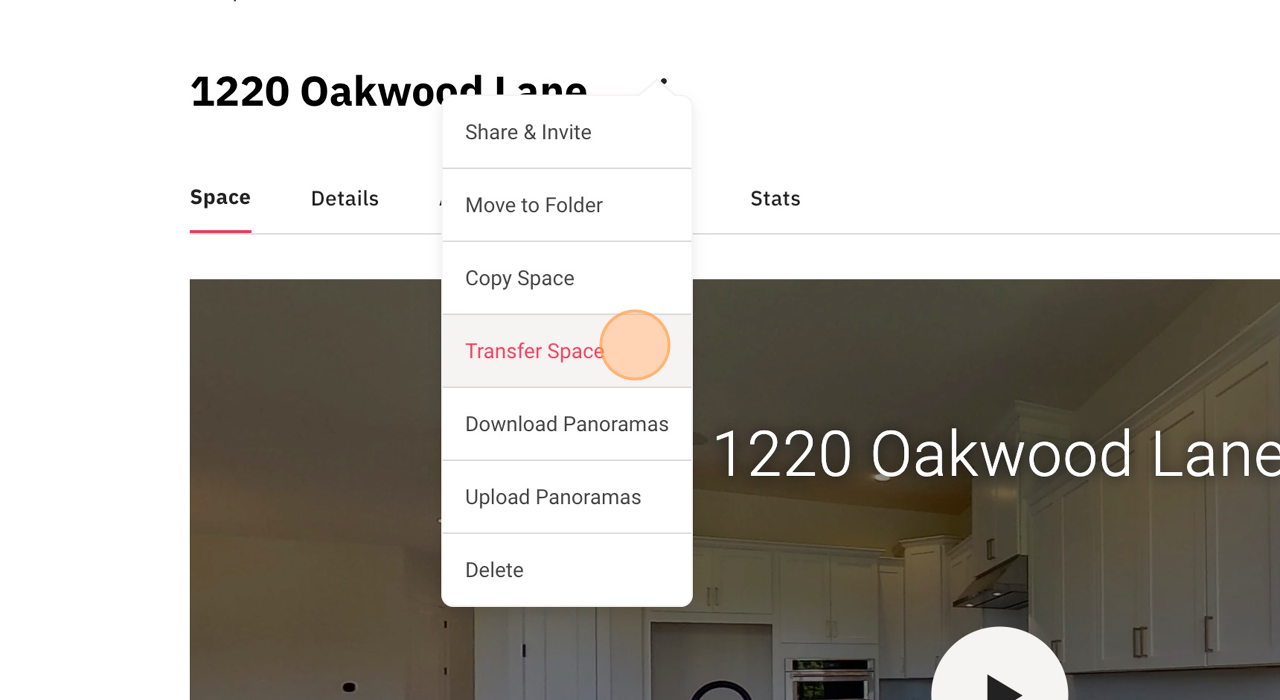
Navigate to the Matterport tour that you would like us to virtually stage and click the “⋮”
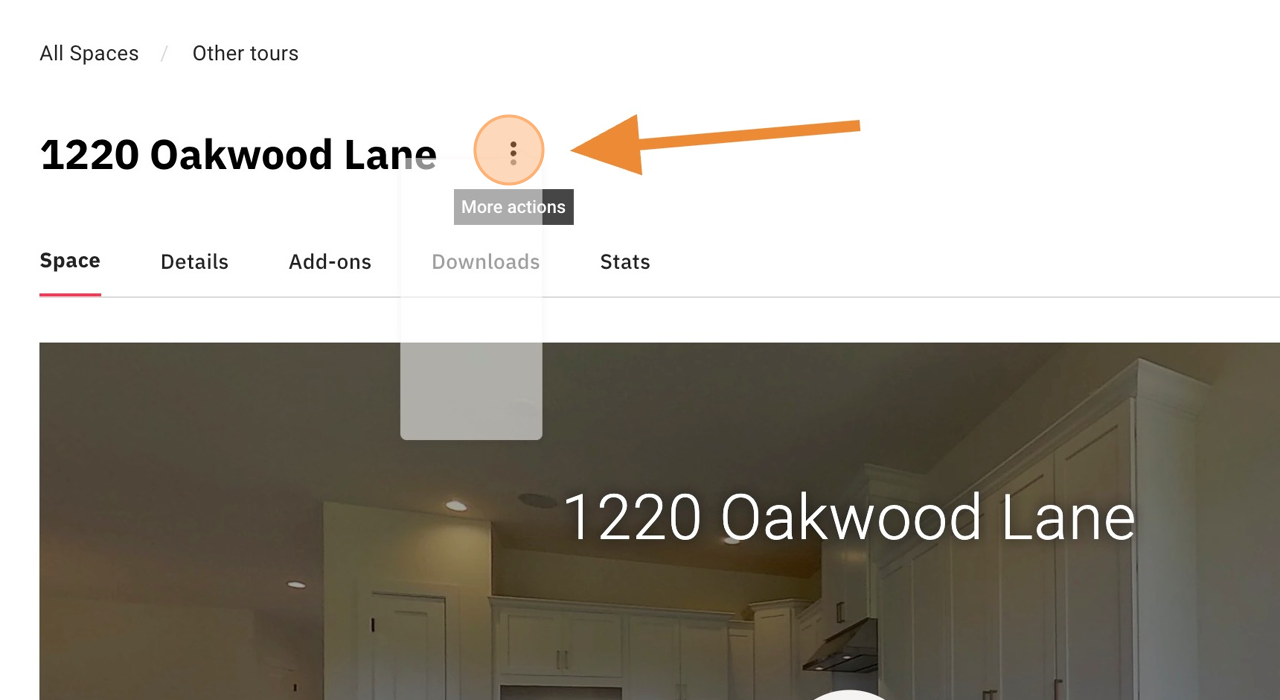
Screenshot for step 1
2
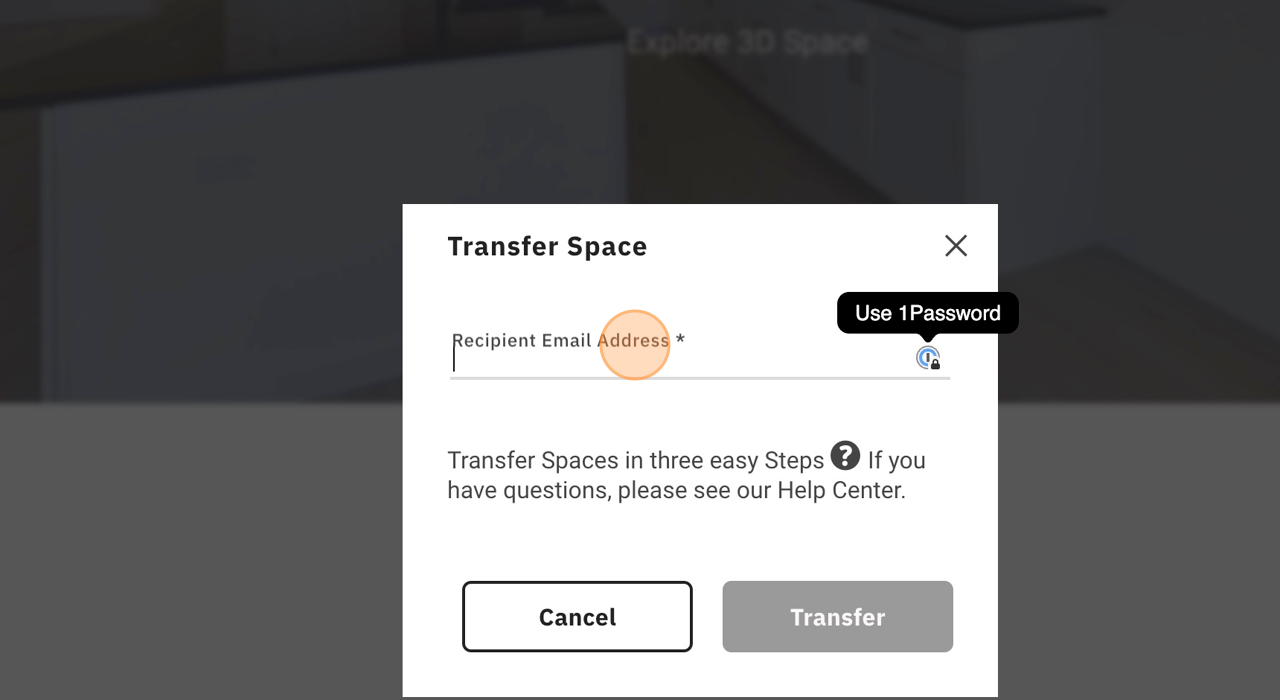
Click “Transfer Space”
Screenshot for step 2
4
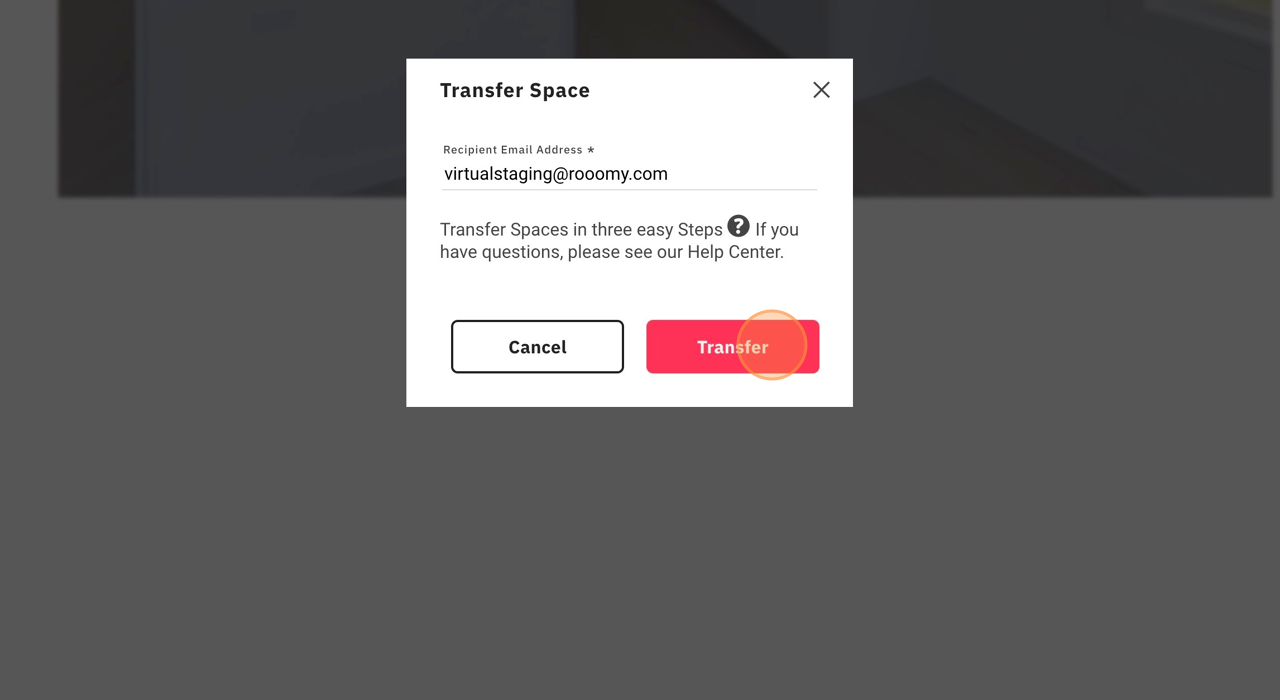
Click “Transfer”
Screenshot for step 4
5
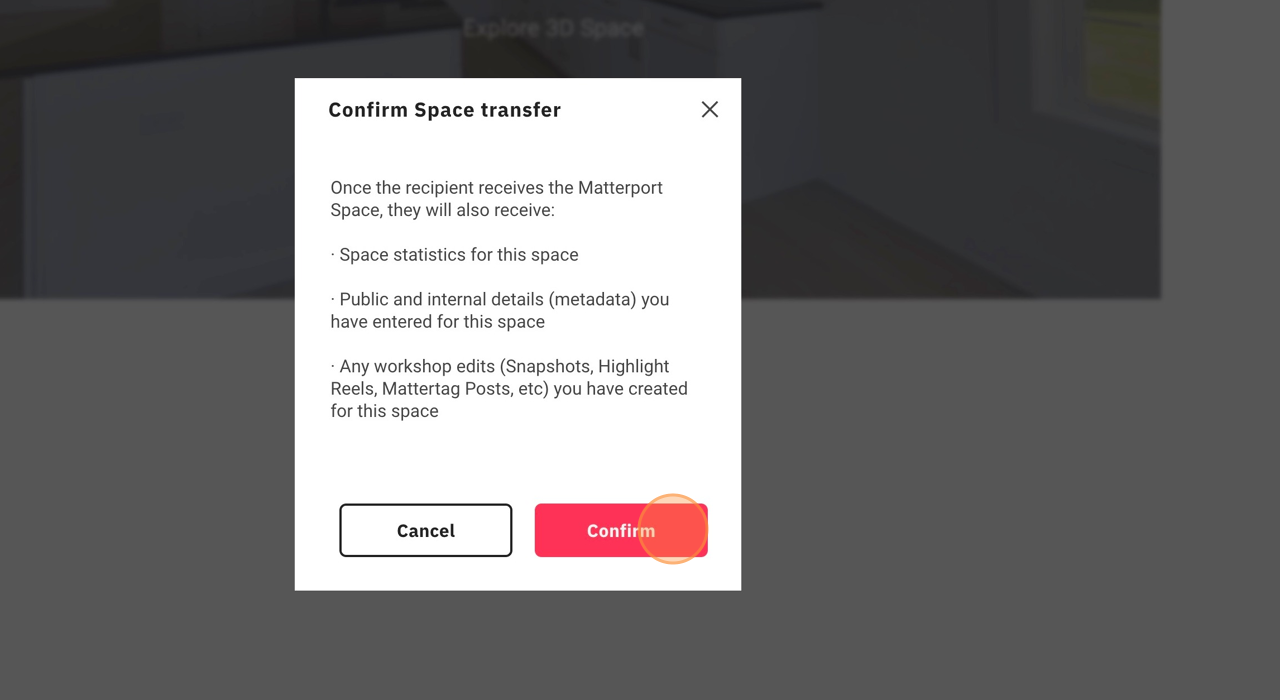
Click “Confirm”
Screenshot for step 5
6
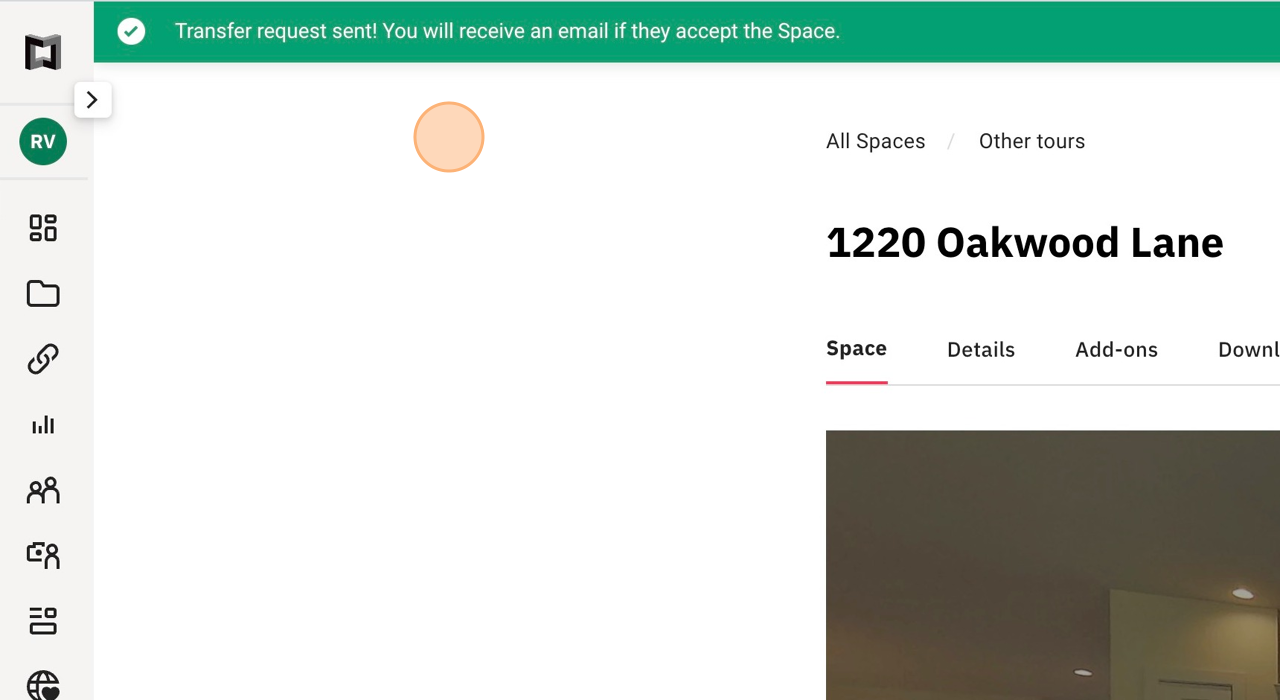
Done! We will accept your transfer and review the tour shortly. You will receive an email confirmation from Matterport as soon as we accept the tour.
Screenshot for step 6

Ready to Get Started?

Get started by placing your order today, or contact us to discuss your project with one of our Matterport Virtual Staging specialists.